Function reference /Array & filter
FILTER
Run in a real sheetReturns only the rows of a range that meet one or more conditions.
FILTER(range, condition1, [condition2, ...])
FILTER returns a live subset of your data — every row where the conditions are true, spilling down the sheet automatically. Unlike the Filter view in the toolbar, it is a formula, so the result updates itself and can feed other formulas.
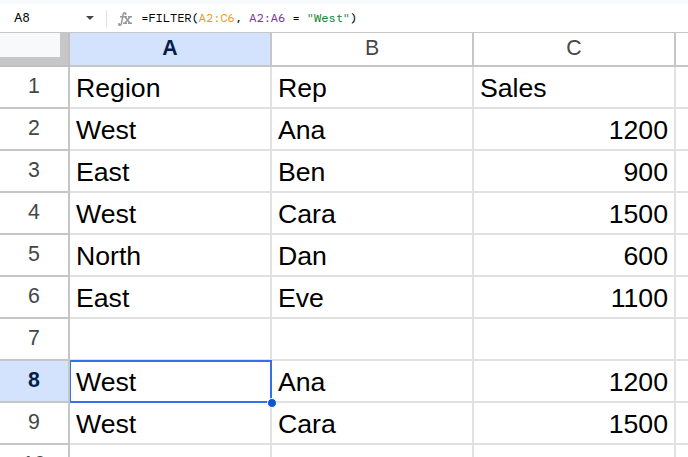
Worked example
| Region | Rep | Sales |
|---|---|---|
| West | Ana | 1200 |
| East | Ben | 900 |
| West | Cara | 1500 |
| North | Dan | 600 |
| East | Eve | 1100 |
=FILTER(A2:C6, A2:A6 = "West")Returns West Ana 1200, West Cara 1500.
Arguments
| Argument | Required | What it does |
|---|---|---|
range |
Yes | The rows to return. |
condition1 |
Yes | A range of TRUE/FALSE values the same height as range. |
condition2 |
Optional | Further conditions. All must be true — they combine with AND. |
Gotchas
- 01Every condition must be exactly as tall as the range being filtered.
- 02Extra conditions are AND, not OR. For OR, add the conditions together: (A2:A6="West") + (A2:A6="East").
- 03No matching rows gives #N/A. Wrap in IFERROR to show a blank instead.
- 04The result spills into the cells below and to the right; anything already there blocks it with a #REF! error.