TEXTJOIN
Run in a real sheetJoins text from several cells into one, separated by a delimiter of your choice.
TEXTJOIN(delimiter, ignore_empty, text1, [text2, ...])
TEXTJOIN is CONCATENATE with the two things CONCATENATE lacks: a separator applied automatically between items, and the option to skip blanks so you do not end up with stray commas.
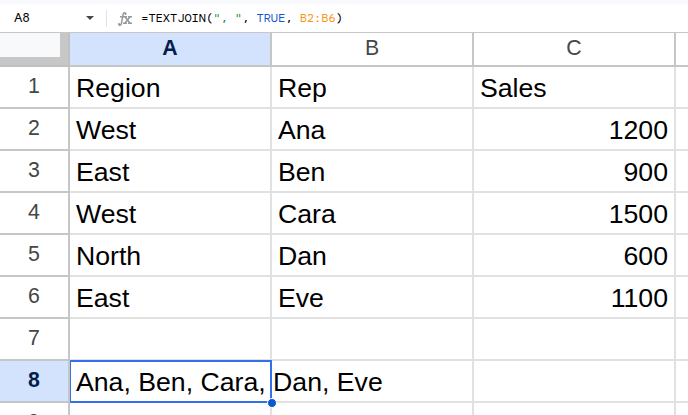
Worked example
| Region | Rep | Sales |
|---|---|---|
| West | Ana | 1200 |
| East | Ben | 900 |
| West | Cara | 1500 |
| North | Dan | 600 |
| East | Eve | 1100 |
=TEXTJOIN(", ", TRUE, B2:B6)Returns Ana, Ben, Cara, Dan, Eve.
Arguments
| Argument | Required | What it does |
|---|---|---|
delimiter |
Yes | What to put between items — ", " for a comma-separated list. |
ignore_empty |
Yes | TRUE skips blank cells. FALSE leaves a gap for each one. |
text1 |
Yes | The cells or ranges to join. |
Gotchas
- 01Passing FALSE for ignore_empty on a range with blanks produces runs of delimiters like "Ana, , Cara".
- 02A cell containing a formula that returns "" is not empty and is not skipped.
- 03The result is capped at the cell character limit; very large ranges get truncated.