SPLIT
Run in a real sheetSplits text across several cells at a chosen delimiter.
SPLIT(text, delimiter, [split_by_each], [remove_empty_text])
SPLIT is the inverse of TEXTJOIN and the fastest way to break a full name, an address or a pasted CSV line into columns.
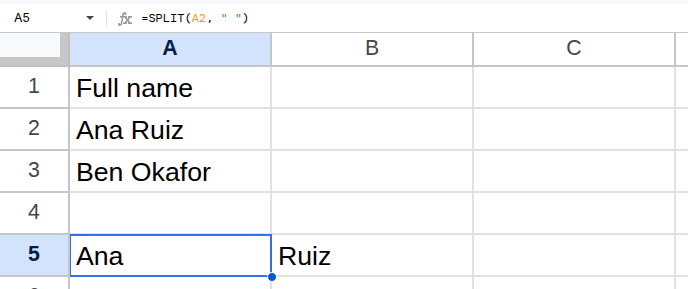
Worked example
| Full name |
|---|
| Ana Ruiz |
| Ben Okafor |
=SPLIT(A2, " ")Returns Ana | Ruiz.
Arguments
| Argument | Required | What it does |
|---|---|---|
text |
Yes | The text to split. |
delimiter |
Yes | The character or characters to split on. |
split_by_each |
Optional | TRUE (default) splits on each character in the delimiter separately. |
remove_empty_text |
Optional | TRUE (default) drops empty results between consecutive delimiters. |
Gotchas
- 01split_by_each defaults to TRUE, so a delimiter of ", " splits on commas AND spaces. Pass FALSE to treat it as one unit.
- 02The result spills sideways and overwrites nothing — but it will hit #REF! if the cells to the right are occupied.
- 03Splitting a date or number turns the pieces into text.