IF
Run in a real sheetReturns one value when a test is true and another when it is false.
IF(logical_expression, value_if_true, value_if_false)
IF is the branch: test something, and hand back one of two answers. Almost every status column, flag and traffic-light in a spreadsheet is an IF underneath.
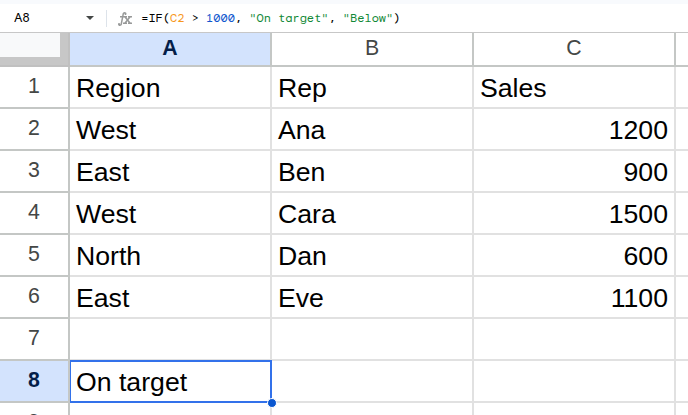
Worked example
| Region | Rep | Sales |
|---|---|---|
| West | Ana | 1200 |
| East | Ben | 900 |
| West | Cara | 1500 |
| North | Dan | 600 |
| East | Eve | 1100 |
=IF(C2 > 1000, "On target", "Below")Returns On target.
Arguments
| Argument | Required | What it does |
|---|---|---|
logical_expression |
Yes | Anything that evaluates to TRUE or FALSE. |
value_if_true |
Yes | What to return when the test passes. |
value_if_false |
Optional | What to return otherwise. Omitted, you get FALSE. |
Gotchas
- 01Omitting the false value returns a literal FALSE, not a blank. Pass "" if you want empty.
- 02Deeply nested IFs are hard to read and harder to fix — past two levels, IFS or SWITCH is clearer.
- 03A blank cell compares as 0, so blanks quietly fall on the false side of a > 0 test.