IFERROR
Run in a real sheetReturns a fallback value when a formula would otherwise show an error.
IFERROR(value, [value_if_error])
IFERROR catches #N/A, #DIV/0! and friends and substitutes something presentable. It is what turns a working sheet into a shareable one.
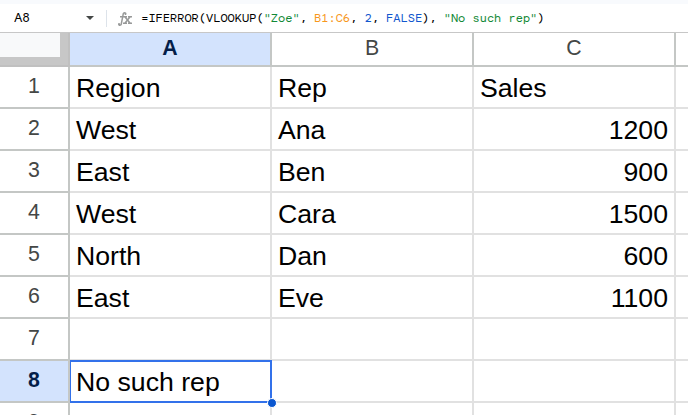
Worked example
| Region | Rep | Sales |
|---|---|---|
| West | Ana | 1200 |
| East | Ben | 900 |
| West | Cara | 1500 |
| North | Dan | 600 |
| East | Eve | 1100 |
=IFERROR(VLOOKUP("Zoe", B1:C6, 2, FALSE), "No such rep")Returns No such rep.
Arguments
| Argument | Required | What it does |
|---|---|---|
value |
Yes | The formula that might error. |
value_if_error |
Optional | What to show instead. Omitted, you get a blank. |
Gotchas
- 01It hides every error, including the ones caused by a genuine mistake in your formula. Build the formula first, wrap it second.
- 02It does not catch a wrong-but-valid answer — only actual error values.
- 03XLOOKUP's missing_value argument does the same job without the wrapper.