Function reference /Array & filter
SORT
Run in a real sheetReturns a range sorted by one or more of its columns.
SORT(range, sort_column, is_ascending, [sort_column2, is_ascending2, ...])
SORT sorts as a formula rather than as a one-off action, so the output re-sorts itself whenever the source data changes. That makes it the right tool for a live leaderboard or top-ten table.
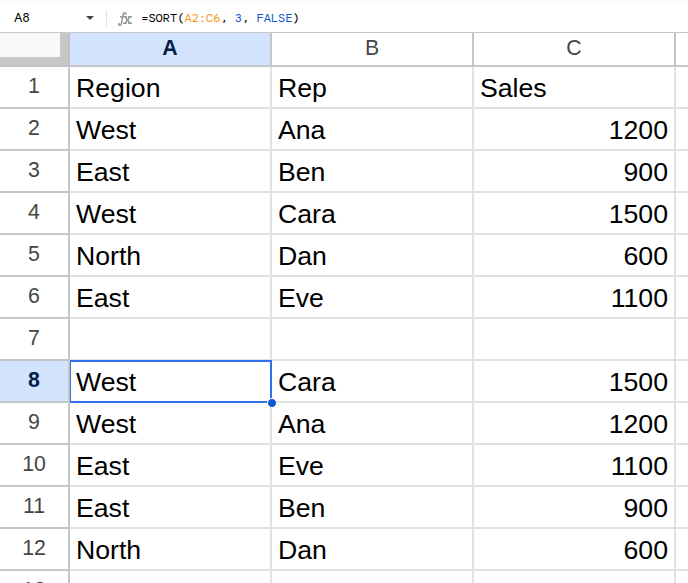
Worked example
| Region | Rep | Sales |
|---|---|---|
| West | Ana | 1200 |
| East | Ben | 900 |
| West | Cara | 1500 |
| North | Dan | 600 |
| East | Eve | 1100 |
=SORT(A2:C6, 3, FALSE)Returns Cara 1500 first, Dan 600 last.
Arguments
| Argument | Required | What it does |
|---|---|---|
range |
Yes | The rows to sort. |
sort_column |
Yes | Which column to sort by, counted within the range. |
is_ascending |
Yes | TRUE for A→Z or small→large, FALSE for the reverse. |
Gotchas
- 01sort_column counts within the range. Sorting B2:C6 by column C means sort_column 2, not 3.
- 02Include the header row in the range and it gets sorted along with the data. Start the range below it.
- 03The result spills; existing content below blocks it with #REF!.