Function reference /Array & filter
QUERY
Run in a real sheetRuns a small SQL-like query over a range — select, filter, sort and group in one formula.
QUERY(data, query, [headers])
QUERY is the most powerful function in Google Sheets and the one with the steepest cliff, because the second argument is a language of its own rather than ordinary formula syntax.
It pays off when a job would otherwise take a stack of nested FILTER, SORT and SUMIF formulas: one QUERY does the lot, and it reads almost like a sentence.
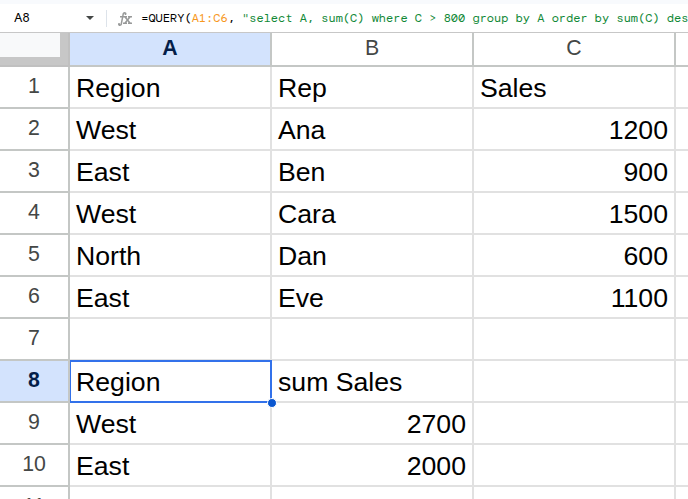
Worked example
| Region | Rep | Sales |
|---|---|---|
| West | Ana | 1200 |
| East | Ben | 900 |
| West | Cara | 1500 |
| North | Dan | 600 |
| East | Eve | 1100 |
=QUERY(A1:C6, "select A, sum(C) where C > 800 group by A order by sum(C) desc", 1)Returns West 2700, East 2000.
Arguments
| Argument | Required | What it does |
|---|---|---|
data |
Yes | The range to query. |
query |
Yes | The query string, in quotes. Columns are referred to by letter: A, B, C. |
headers |
Optional | How many header rows the data has. Pass 1 when the first row is headers. |
Gotchas
- 01Inside the query string columns are letters (A, B, C) — not header names, and not the range's own numbering.
- 02A column with mixed numbers and text gets one type assigned and the minority values are dropped silently. This is the single most common QUERY bug.
- 03Text values in a where clause need their own quotes: where B = 'Ana'. Mixing quote types breaks the formula.
- 04Dates need date literals: where D > date '2026-01-01'.
- 05Omitting the headers argument lets QUERY guess, and it guesses wrong on small ranges. Pass it explicitly.