MATCH
Run in a real sheetReturns the position of a value within a range, rather than the value itself.
MATCH(search_key, range, [search_type])
MATCH answers "where is it?" rather than "what is it?". That position is what INDEX needs, which is why the two are almost always written together as INDEX(…, MATCH(…)).
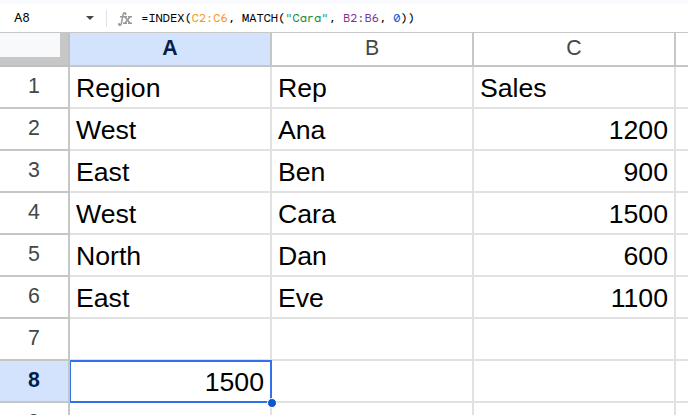
Worked example
| Region | Rep | Sales |
|---|---|---|
| West | Ana | 1200 |
| East | Ben | 900 |
| West | Cara | 1500 |
| North | Dan | 600 |
| East | Eve | 1100 |
=INDEX(C2:C6, MATCH("Cara", B2:B6, 0))Returns 1500.
Arguments
| Argument | Required | What it does |
|---|---|---|
search_key |
Yes | The value to find. |
range |
Yes | A single row or single column to search. |
search_type |
Optional | 0 for an exact match. 1 (default) assumes ascending order, -1 assumes descending. |
Gotchas
- 01The default search_type is 1, not 0 — omitting it on unsorted data returns confidently wrong positions. Always pass 0.
- 02MATCH only accepts a single row or single column. A rectangular range is an error.
- 03It returns a position, not a value. Feeding it straight into a cell shows a number, which looks like a bug but is not.