INDEX
Run in a real sheetReturns the value at a given row and column position inside a range.
INDEX(reference, [row], [column])
INDEX is positional: tell it a range and a coordinate, and it hands back what is sitting there. On its own it is rarely useful; paired with MATCH, which works out the coordinate for you, it becomes the most flexible lookup in the sheet.
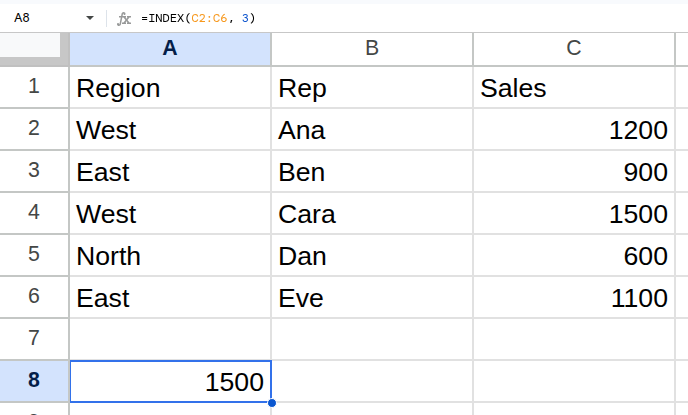
Worked example
| Region | Rep | Sales |
|---|---|---|
| West | Ana | 1200 |
| East | Ben | 900 |
| West | Cara | 1500 |
| North | Dan | 600 |
| East | Eve | 1100 |
=INDEX(C2:C6, 3)Returns 1500.
Arguments
| Argument | Required | What it does |
|---|---|---|
reference |
Yes | The range to index into. |
row |
Optional | Row offset within the range, starting at 1. Use 0 to return the whole column. |
column |
Optional | Column offset within the range, starting at 1. Use 0 to return the whole row. |
Gotchas
- 01Offsets are relative to the range, not the sheet. INDEX(C2:C6, 1) is C2, not C1.
- 02Passing 0 for row or column returns the entire column or row as an array, which is useful and surprising the first time.
- 03An offset past the end of the range returns #REF!, not a blank.