Function reference /Math & aggregation
SUMPRODUCT
Run in a real sheetMultiplies ranges together row by row, then adds up the results.
SUMPRODUCT(array1, [array2, ...])
SUMPRODUCT is units times price, summed — revenue, weighted scores, hours times rate — in one cell, with no helper column. Put a condition in brackets and it becomes a multi-condition SUMIF too.
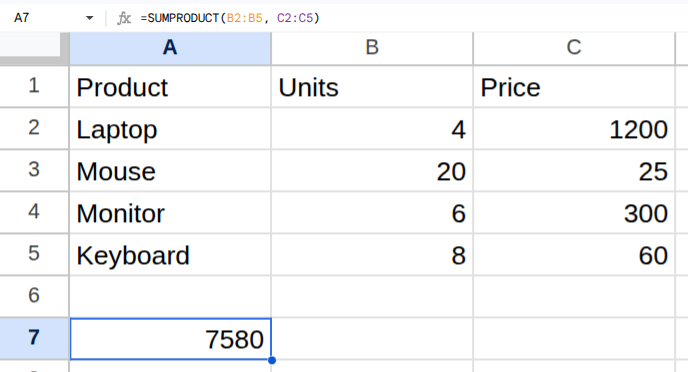
Worked example
| Product | Units | Price |
|---|---|---|
| Laptop | 4 | 1200 |
| Mouse | 20 | 25 |
| Monitor | 6 | 300 |
| Keyboard | 8 | 60 |
=SUMPRODUCT(B2:B5, C2:C5)Returns 7580.
Arguments
| Argument | Required | What it does |
|---|---|---|
array1 |
Yes | The first range of numbers. |
array2, ... |
Optional | More ranges the same size. Each row is multiplied across them before the sum. |
Gotchas
- 01Every range must be the same size. A mismatch is an error, not a partial answer.
- 02A condition in brackets turns into 1 or 0: =SUMPRODUCT((A2:A5="Laptop")*B2:B5*C2:C5) totals only the Laptop rows.
- 03In a pivot table calculated field, =Units*Price with Summarize by SUM multiplies the group's totals, not its rows — two Laptop rows of 4 and 2 at 1200 come out as 6×2400 = 14400. Set Summarize by to Custom and write =SUMPRODUCT(Units,Price) to get the right 7200.